Banner Online Student Information System
Students Can Use the Banner System to:
- View/maintain contact information with the College
- Complete online course registration and payment
- View registration status
- View academic records
- View class schedule (timetable)
How to Access the Banner Online Student Information System:
- You can access the Student Banner Information System by using any Internet connected computer with a web-browser. To access the Banner, login to the College’s MyCampus Portal application by typing in the URL: http://www.confederationcollege.ca into your web browser (this is the College’s main website).
- At the top of the College website main page, click the link MyCampus Portal.
- At the MyCampus Portal login page, please enter your College username and password and then click the ‘Login’ button.
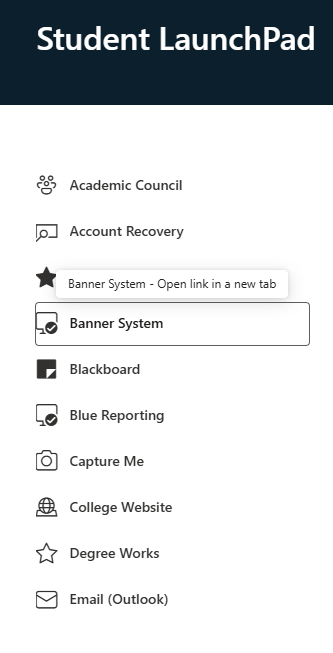
- Once you are logged into the MyCampus Portal, at the top of the page in the menu bar, click ‘Student LaunchPad’ or ‘Employee LaunchPad’ and you will see the ‘Banner System’ link. Click on this icon to be automatically logged into the Banner system.