Booking a Study Room, AV Equipment and Videos/DVDs
Book a Study Room
- Use the Booking System(opens in new window) to book a study room or the Pride Room with your college username and password.
Terms of Use:
- Study/Pride rooms can be booked up to 2 hours at time for a max of 6 hours in a week.
- Study rooms can accommodate up to 6 people at a time.
- Study rooms include the following equipment: a computer, computer projector, mouse, keyboard, white board, table and 6 chairs.
- If you make a booking and find you no longer require it, please cancel your reservation so other students can book the room.
- Please clean up after yourself and remove any garbage or debris when you leave.
Book the Library's AV Equipment
- Click to see a list of Equipment Available for Loan(opens in new window). Alternatively, you may request equipment at the 2nd floor Library Desk.
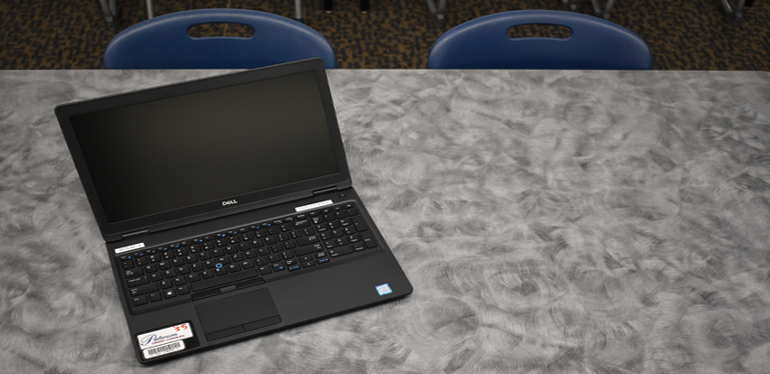
To book AV equipment:
- Click on the library catalogue(opens in new window).
- Sign in to your library account, via the Sign-In button in the top right corner menu.
- Search for the equipment you would like to borrow in the main search field. For example: VR HEADSET
- On the left-side "Refine your results" menu, click on Held By Library.
- Your results should be updated to show only items that are available in the library. Look for your desired equipment and click on its title.
- Click on Request and complete the form.
- You will be automatically emailed the request and pickup date. Please visit the 2nd floor Library Circulation Desk to pick up your requested equipment.
- If you'd like to cancel or change your request, please do so in your library account or by sending the library an email.
To Return Audiovisual Resources / Equipment
- Audiovisual resources and equipment must be returned to the Library by the designated time and must never be left unattended in a classroom
- After hour returns must be arranged with Library staff when booking
- Material returned late will result in fines
IMPORTANT - FIRST TIME BOOKING EQUIPMENT IN THE LIBRARY?
All students are required to complete an equipment loan agreement form that is verified with LOCAL residency documentation.
What this means: In addition to completing the Equipment Loan Agreement Form (available from library staff), you must verify residency details that you provided.
Acceptable forms of verification include:
- bank statement
- phone bill
- driver’s license
- tax bill
You are only required to do this one time, or if you have relocated.
Paterson Library will retain this form on file for two years at which time it will be destroyed.
Book Videos/DVDs
- Click on the library catalogue(opens in new window).
- Sign in to your library account, via the Sign-In button in the top right corner menu.
- Search for the Video you would like to loan in the main search field. For example: The Devil Wears Prada (alternatively, you can type in DVD and it will show all DVDs we carry)
- On the left-side "Refine your results" menu, click on Held By Library.
- Your results should be updated to show only items that are available in the library. Look for your desired DVD and click on it's title.
- Click on Request and complete the form.
- You will be automatically emailed the request and pickup date. Please visit the 2nd floor Library Circulation Desk to pick up your requested equipment.
- If you'd like to cancel or change your request, please do so in your library account or by sending the Library an email at infodesk@confederationcollege.ca.
To Return Videos/DVDs
- Audiovisual resources and equipment must be returned to the Library by the designated time and must never be left unattended in a classroom
- After hour returns of videos can be dropped in the bookdrop outside the 2nd floor Library entrance, or in the bookdrop on the 1st floor of the Library
- Material returned late will result in fines
Questions?
- If you need assistance in using any of the Library audiovisual equipment or items that you have borrowed from the library, please email the Library at infodesk@confederationcollege.ca, or call us at (807) 475-6219
- Please report any problems with any Smart classroom equipment to the Helpdesk at helpdesk@confederationcollege.ca (807) 475-6488